
Blog, Latest News
What Is a Laptop Skin
Apr
A simple way to protect and personalise your device
If you’ve ever wanted to give your laptop a fresh look without committing to something permanent, a laptop skin might be exactly what you’re after. Clean, customisable and easy to apply, laptop skins are a popular way to protect your device while adding a bit of personality.
But what exactly are they, and how do they work?
A Quick Definition
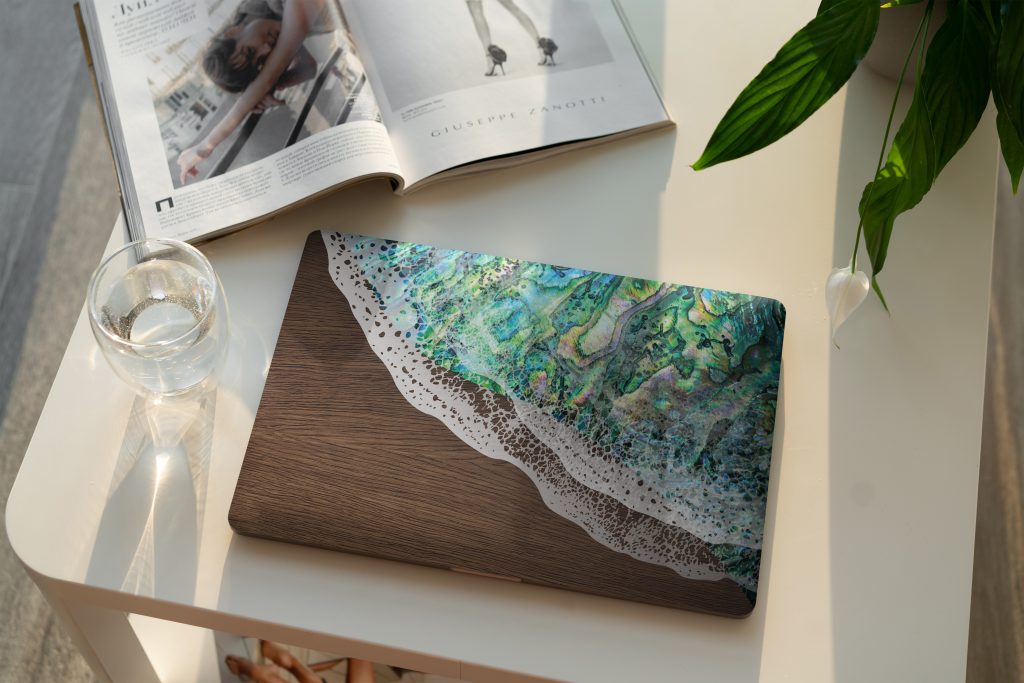
A laptop skin is a thin vinyl decal designed to fit the surface of your laptop. It sticks directly to the outer casing, covering areas like the lid, palm rest or trackpad, depending on the design.
Unlike bulky cases, a skin sits flat against the surface, so it does not add extra weight or change the feel of your device.
More Than Just Looks
While laptop skins are often chosen for their visual appeal, they also serve a practical purpose.
They help protect your laptop from everyday wear such as light scratches, marks and surface scuffs. If you carry your laptop around often or use it in shared spaces, a skin can help keep it looking newer for longer.
Easy to Apply and Remove
One of the biggest advantages of a laptop skin is how simple it is to use.
They are designed for easy application on clean, smooth surfaces. With a bit of care and patience, most people can apply a skin themselves without bubbles or creases.
When it is time for a change, the skin can be removed without damaging the surface underneath, making it ideal for anyone who likes to update their style.
A Wide Range of Styles
Laptop skins come in a huge variety of designs.
You might go for something minimal and clean, a bold graphic that stands out, or even a custom design that reflects your personality or brand. From textures and patterns to artwork and logos, the options are almost endless.
This makes laptop skins a great choice for both personal use and business branding.
A Smart Option for Businesses
Laptop skins are not just for personal use. They are also a clever branding tool.
Businesses can use custom skins to display logos, colours and messaging across team devices. This creates a consistent and professional look, especially in shared workspaces, events or client facing environments.
Things to Keep in Mind
For the best results, always apply your laptop skin to a clean and dry surface. Dust or residue can affect how well it sticks.
It is also worth choosing a high quality vinyl skin, as this will provide better durability, cleaner removal and a smoother finish.
A laptop skin is a simple way to protect your device and make it your own. It offers the flexibility to change your look whenever you like, without committing to permanent changes.
Whether you want something subtle, bold or completely custom, a well designed skin can transform your laptop in minutes.
If you are looking for a clean, professional finish or something more creative, Grafix Wall Art can help you bring your idea to life.
